
Free Garmin watch app
Turn your running watch into a golf caddie.
CaddieStats gives you live yardages on the golf course and marks every shot as you play it. Your shot locations turn into detailed round analysis — shot dispersion, greens in regulation, fairways hit, putts, strokes gained and many more. All calculated automatically; you only have to press a button.
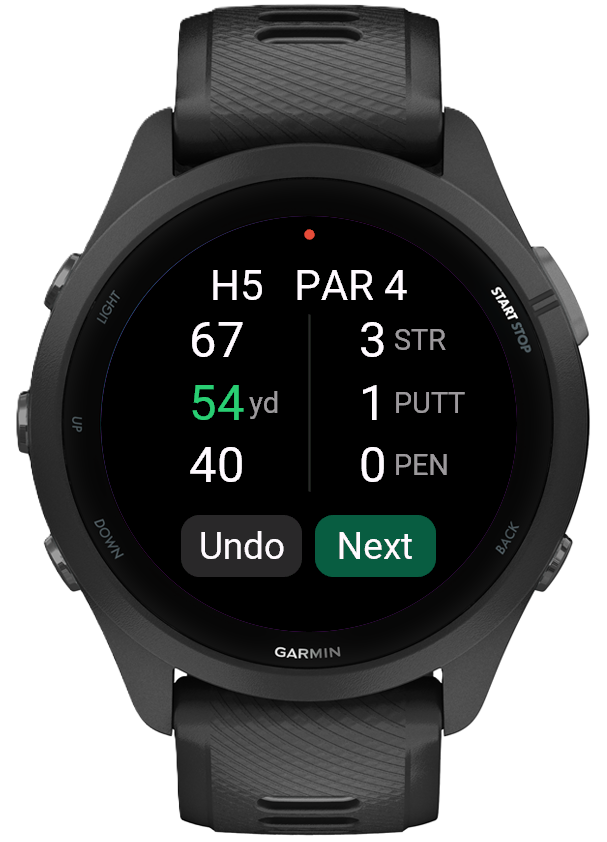
Yardages on your Garmin watch
- Front, middle and back of green.
- Distance from the tee box and from your last shot, so you can see how far you’re hitting it mid-round.
- No phone and no manual stats input, so you can focus on the golf.
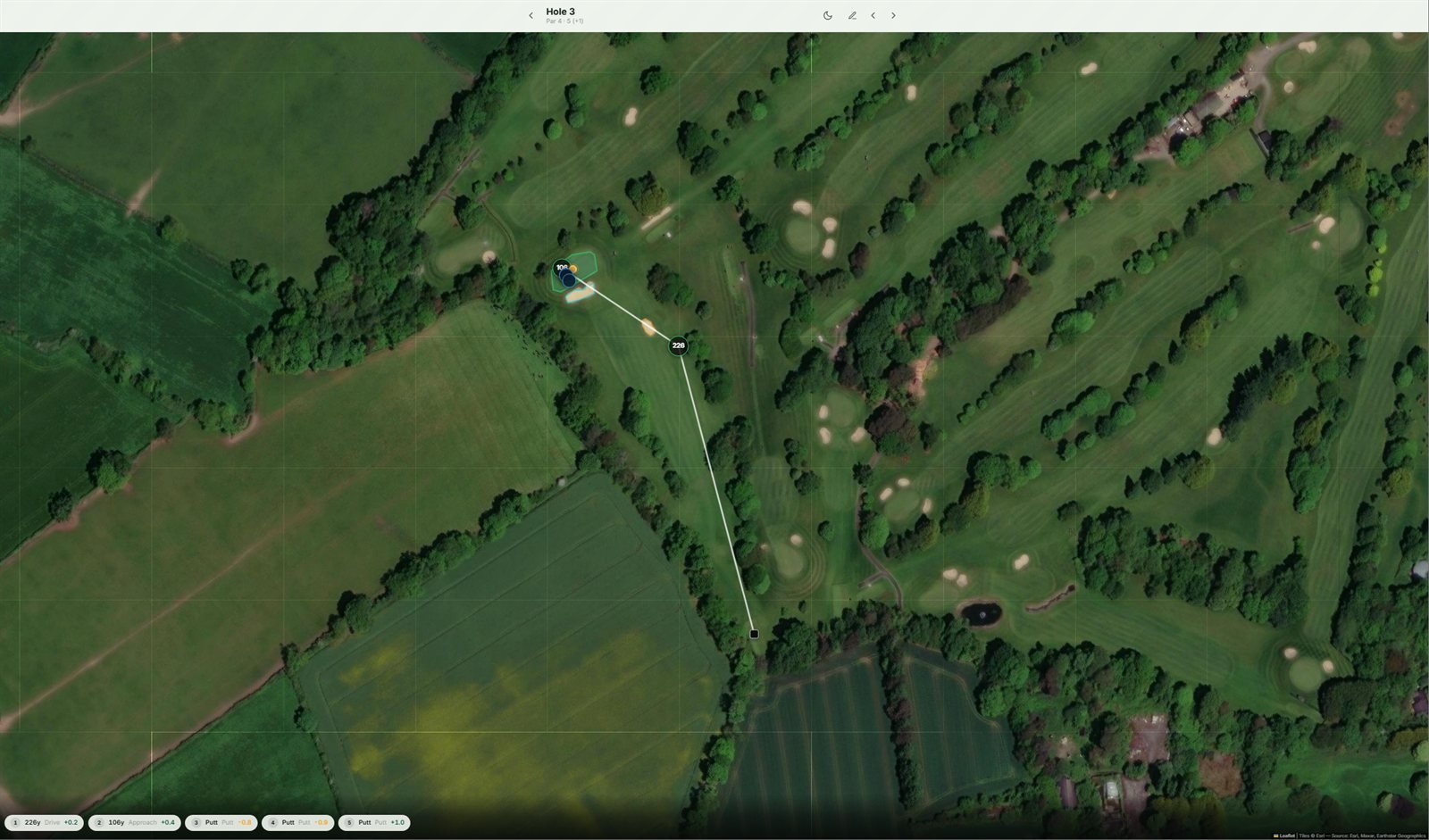
Every shot on a map
See exactly how your round went, with a hole-by-hole view of the course and your shots laid over it.
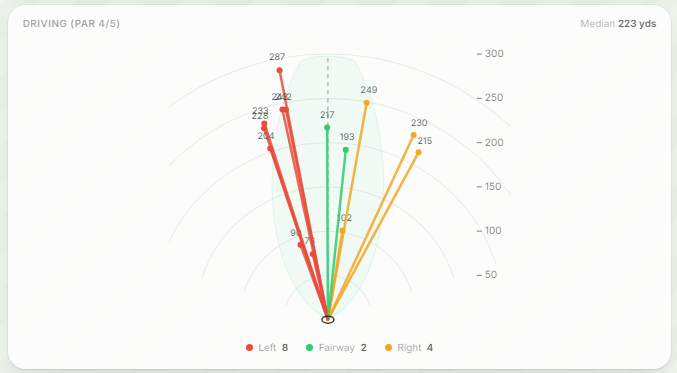
Driving dispersion
See what your driving looked like this round — spot the misses that keep coming back, or re-live those huge drives.
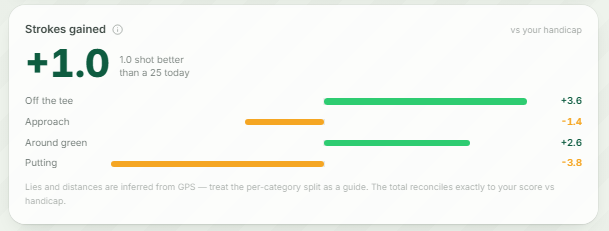
Strokes gained analysis
See which part of your game is carrying you, and which is holding you back. It compares your actual score for the round against what your handicap should have shot.
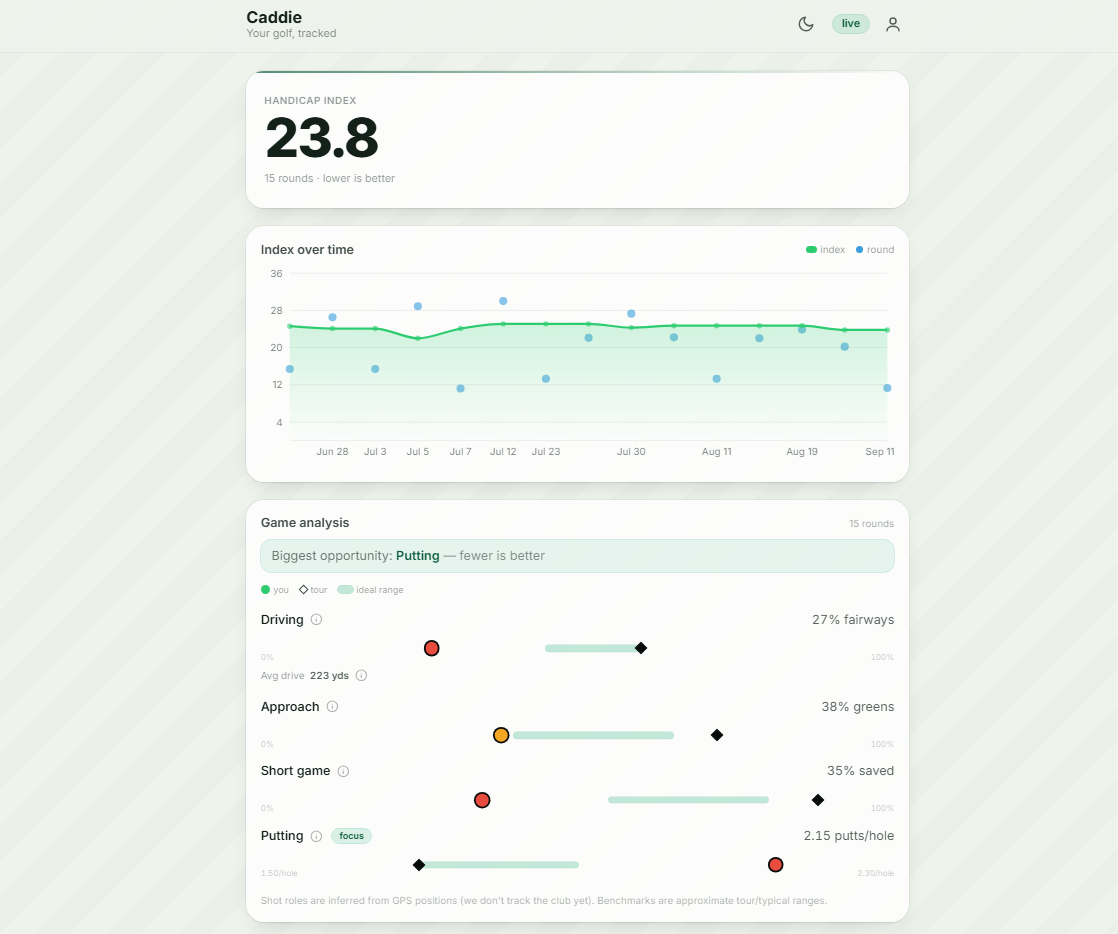
Dashboard
Every round is saved, so you build up a picture of your game over time.
Sounds great! How do I start?
It’s a completely free download from the Garmin Connect IQ app store. Create an account below for the quick-start guide.